


Smart Alerts Explained: What Motion, Loitering and Object Detection Actually Do
“Smart alerts” appears on almost every CCTV brochure now: motion detection, loitering detection, object detection, all promising that your cameras will tell you when something is wrong. Many business owners have tried the alerts on their DVR app, received two hundred notifications in one night because a tree was moving in the wind, and switched them off for good. Both the promise and the disappointment are understandable. This guide explains in plain English what each type of alert actually does, where each one is genuinely useful, where it falls short, and what it takes to make alerts help you rather than annoy you.
The Basic Idea Behind Smart Alerts
Without alerts, your cameras are a recording. You find out what happened by scrolling back through footage, usually after the damage is done. Smart alerts flip that around: instead of you searching the recording, the system watches for particular situations and tells you when one occurs. The different alert types are simply different ways of deciding what counts as a situation worth telling you about.
Motion Detection: Something Moved
Motion detection is the simplest type. The system compares each moment of video with the one before it, and if enough of the picture changes, it raises an alert. It does not know what moved, only that something did.
Where it works well: spaces that should be completely still when you are closed. A locked stockroom, a server room, the inside of a shop after the shutter is down. In those places, any movement at 2 AM is worth knowing about.
Where it struggles: outdoors, and anywhere with things that move on their own. Branches in the wind, headlights sweeping across a wall, rain, shadows shifting as clouds pass, insects drawn to the infrared light around a camera at night, a stray dog crossing the yard. Motion detection treats all of these exactly like an intruder. That is where the two hundred notifications come from.
The alert-fatigue trap:
When an owner gets dozens of false alerts in a night, they do one of two things: switch alerts off, or stop looking at them. Either way, the one alert that matters, the real person at the real shutter, arrives in a pile of notifications nobody reads. Too many alerts protect you about as well as none at all.
Loitering Detection: Someone Stayed Too Long
Loitering detection adds time to the picture. Instead of alerting the moment something moves, it alerts when a person stays in a particular area for longer than a set period. Someone walking past your gate is ignored. Someone standing at your gate for three minutes at 1 AM is not.
Where it works well: the spots where people have no reason to stop. The rear shutter of a shop, the side gate of a warehouse, the area around a parked generator, the back wall of a yard. Break-ins rarely happen in a few seconds; someone usually spends time studying a lock, testing a door, or waiting for a street to clear. Loitering detection is built to notice exactly that behaviour.
Where it struggles: busy areas where people legitimately wait, such as a bus stop outside your gate or a tea stall next door, unless the area being watched is drawn tightly around the spot that matters.
Object Detection: What Is It?
Object detection tries to recognise what is in the picture, typically telling people and vehicles apart from everything else. This is what lets a system ignore a swaying branch or a passing cat and still alert you to a person climbing a wall or a vehicle stopping at your loading bay.
Where it works well: outdoor areas where motion detection would drown you. A yard, a parking area, a compound wall, a loading bay. A tempo pulling up to your godown shutter at 2:30 AM is precisely the kind of event object detection is good at catching.
Where it struggles: recognition depends on what the camera can see. A poorly lit corner, a camera pointed into glare, a dirty lens, or a figure too small and far away in the frame all make recognition less reliable. We explain why picture quality matters so much in our piece on why video quality matters more than camera count.
Events: Turning Alerts Into Something You Can Review
An alert on its own is just a notification. Event management is what makes alerts usable afterwards: each alert is saved as an event, with the time, the camera, and the clip of what happened. The next morning, instead of scrolling through eight hours of footage from every camera, you look at a short list of events and play back the ones that matter in seconds.
How to Make Smart Alerts Actually Useful
Most of the frustration with alerts comes from how they are set up, not from the idea itself. A few principles make a large difference:
- Match the alert to the camera. Motion for indoor spaces that should be empty, loitering for doors and shutters, object detection for yards and open areas.
- Watch the spot, not the whole picture. Focus detection on the shutter, the gate, or the wall, not the road beyond it.
- Alert when you are closed. Movement at the front door at 11 AM is customers. At 2 AM it is something else.
- Give the camera a fair chance. Good lighting, a clean lens, and a sensible angle improve every type of detection.
- Review false alerts and adjust. If one camera keeps triggering on the same tree, fix that camera rather than ignoring all alerts.
What Smart Alerts Cannot Do
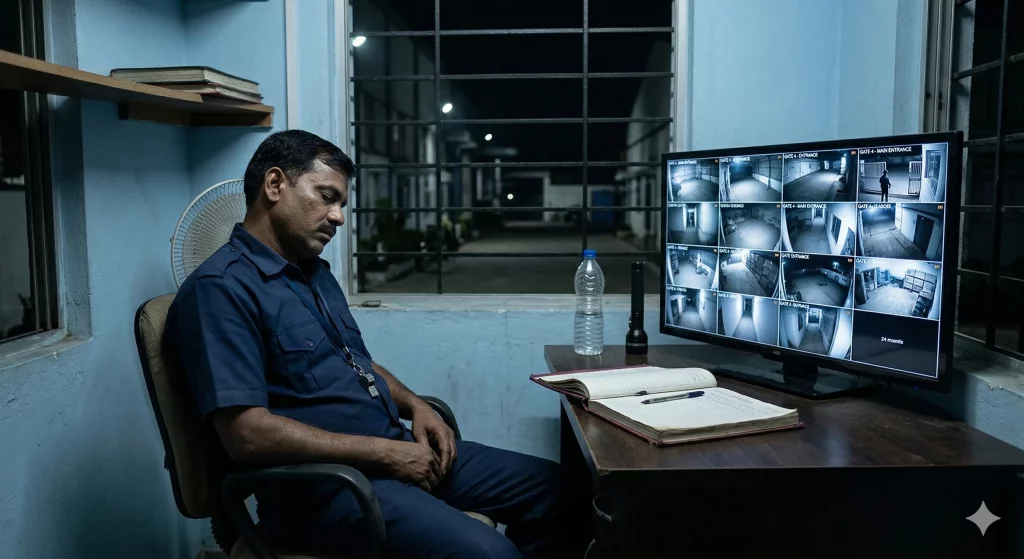
Even perfectly configured alerts have one limit that no setting can fix: they detect, but they do not decide and they do not act. At 2:30 AM, an alert saying a person is at your rear shutter goes to a phone on a bedside table, usually on silent. By the time the owner sees it in the morning, the event is a clip of something that has already happened.
An alert also cannot tell whether the person at the shutter is a thief or your own watchman checking the lock. That judgement needs a human. We cover this in more depth in AI CCTV vs human monitoring, and in our look at autonomous AI agents in CCTV.
Smart Alerts in Modernext VMS Advanced
Modernext VMS Advanced includes motion detection, loitering detection, and object detection, together with event management, recording management, playback, and advanced reports. VMS Basic focuses on live viewing, centralised management, remote access, user management, and camera health checks, without the detection features. If you are new to Video Management Systems, our plain-English guide to VMS is the best place to start.
The same night, two ways: A hardware wholesaler has VMS Advanced on his godown cameras. At 2:40 AM, a person comes over the side wall and spends four minutes at the rear shutter. Object detection recognises a person, loitering detection flags that he has stayed, and the system records it as an event with the clip. On VMS alone, the owner wakes at 7 AM to the notification and a clean recording of his shutter being forced. With Modernext’s night-time monitoring added, a trained operator is watching through the night, confirms within seconds that this is not the watchman, and a response goes out while the person is still at the shutter. The event and what was done about it are both in the Modernext app by morning.
That is how the two fit together. VMS Advanced makes sure the right moments are noticed and saved. Night monitoring makes sure someone acts on them when your premises is empty and you are asleep.
Frequently Asked Questions
What is the difference between motion detection and object detection?
Motion detection alerts whenever enough of the picture changes, whatever caused it, including trees, rain, headlights, and animals. Object detection tries to recognise what is in the picture, such as a person or a vehicle, so it can ignore movement that does not matter.
What is loitering detection in CCTV?
Loitering detection alerts when a person stays in a chosen area for longer than a set time. It ignores people passing by but flags someone lingering at a door, shutter, or gate, which is common behaviour before a break-in.
Why do my CCTV motion alerts keep going off for nothing?
Motion detection reacts to any change in the picture, so trees, shadows, headlights, rain, insects near the camera at night, and animals all trigger it. Focusing detection on the area that matters, using object detection outdoors, and improving lighting all reduce false alerts.
Do smart alerts replace a monitoring service?
No. Smart alerts detect and record events, but someone still has to see the alert, judge whether it is genuine, and act on it. At night, when nobody at the business is awake, that is what a professional night monitoring service provides.
Alerts that matter, and someone to act on them.
Find out whether VMS Advanced, night-time monitoring, or both are right for your premises. Tell us about your cameras and we will walk you through it.